
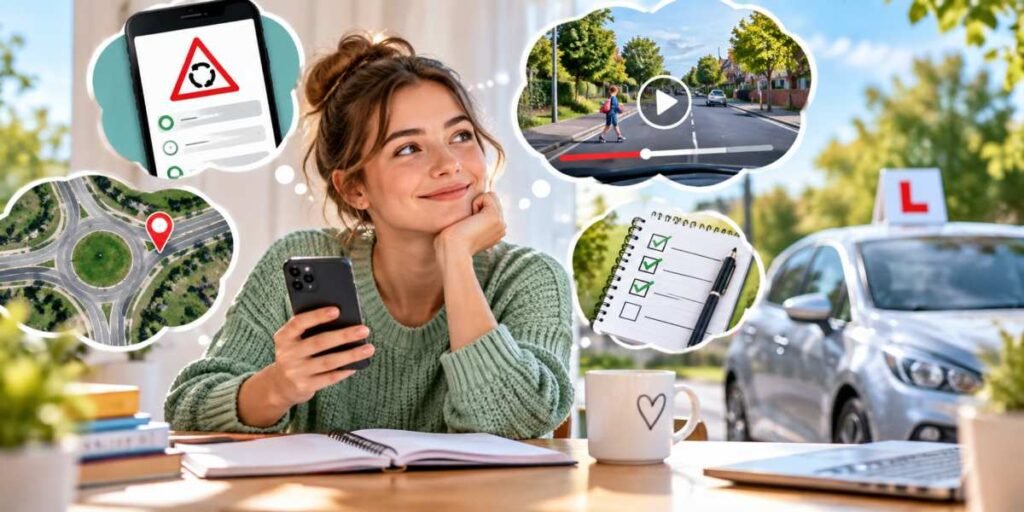
Automatic learners have one particular advantage. With clutch control and manual gear changes removed from the workload, more attention can be devoted to observation, positioning, anticipation and decision-making. Those are precisely the areas where thoughtful use of driving apps can reinforce what happens during lessons.
Turn Theory Practice Into Road Knowledge
Theory-test apps are often treated as temporary containers for hundreds of questions that must somehow be forced into the brain before test day. Used properly, however, they can do much more than prepare somebody to pass an exam.After a practical lesson, learners can use a theory app to revisit subjects that caused difficulty on the road. Someone who struggled at a multilane roundabout might review signs, lane markings and priority rules that evening. A learner who hesitated around a pedestrian crossing can investigate exactly what different crossings require.
This creates a useful connection between abstract rules and actual experiences. “Road signs” stops being a chapter containing dozens of colourful shapes and becomes an explanation for why that enormous arrow was desperately trying to tell you something fifteen minutes earlier.
Short sessions are often enough. Ten focused minutes reviewing something encountered during the previous lesson can be more valuable than mechanically answering fifty unrelated questions.
Train Your Eyes With Hazard-Perception Tools
Hazard-perception practice has an obvious purpose before the theory test, but its usefulness extends beyond learning when to click a mouse.Good hazard-perception exercises encourage learners to recognise situations that are developing rather than merely reacting once something has already happened. A child approaching the kerb, a delivery van obscuring a junction or a cyclist moving around a parked vehicle may all provide clues about what could happen next.
Automatic learners can particularly benefit from developing this anticipatory habit because fewer physical tasks compete for their attention. The goal is not to become spectacularly talented at clicking videos. Nobody has ever impressed passengers by announcing a world-class hazard-perception score while reversing into a wheelie bin. The useful skill is learning to scan ahead and notice meaningful changes early.
Explore Difficult Roads Before Driving Them
Mapping and route-planning software can provide another form of preparation. If an instructor regularly uses a complicated junction, unfamiliar roundabout or particular stretch of dual carriageway, looking at the area beforehand can reduce the amount of new information arriving simultaneously during the next lesson.Satellite imagery and street-level photography can help learners examine lane layouts, road markings and approach directions at their own pace. Rather than memorising an entire route, the aim should be familiarity. Knowing that a large roundabout contains several lanes and an unusual exit arrangement can leave more mental capacity available for observing the traffic when encountering it for real.
That distinction matters. Digital reconnaissance can explain the shape of a road, but it cannot reproduce the driver who suddenly changes lanes without indicating, the pedestrian who steps forward unexpectedly or the badly positioned van blocking half the view. Roads are dynamic environments, and no screen can make them completely predictable.
Keep a Digital Driving Log
One of the simplest digital tools requires almost no sophisticated technology at all. A driving log can be kept in a dedicated learner app, a notes application or a basic spreadsheet. After each lesson, record what went well, what caused difficulty and what deserves attention next time.The important part is specificity. “Roundabouts bad” will not reveal much three weeks later. “Approaching too quickly and choosing the lane too late” identifies something that can actually be improved. Likewise, recording successful moments helps learners recognise genuine progress rather than remembering only the mistakes.
Over several weeks, patterns can become surprisingly obvious. Perhaps manoeuvres are improving steadily while observations remain inconsistent. Maybe hill starts in an automatic are no longer troublesome, but busy junctions still produce hesitation. A digital record turns a vague feeling of progress into something more concrete.
It can also give an instructor useful information. Instead of beginning the next lesson with the traditional learner response of “I can’t remember what we did last time,” there is an instant reminder available.
Use Apps to Ask Better Questions
Screen-based learning becomes especially valuable when it produces questions for the next practical lesson. If a theory app describes a situation differently from how the learner understood it on the road, make a note and ask the instructor. If a mapped junction appears confusing from above, it can become something to practise deliberately.This approach changes digital learning from passive consumption into preparation. The learner arrives with particular situations in mind and can connect explanations with actual driving experience.
There is also value in resisting the temptation to download seventeen different driving apps. More software does not automatically create more knowledge. One reliable theory resource, a hazard-perception tool, mapping software and somewhere to record progress may be plenty. The smartphone does not need to resemble the control centre at Heathrow.
Know Where the Screen Stops Helping
Apps are excellent at repetition. They can display hundreds of road signs, replay hazards, preserve notes and allow unfamiliar roads to be examined repeatedly. What they cannot reproduce is the physical and psychological experience of controlling a moving vehicle.Real driving involves judging speed and distance, coordinating observations with actions and responding to other people whose behaviour may be difficult to predict. Even an automatic car requires smooth braking, steering control, positioning and careful judgement. Those abilities develop through genuine supervised driving rather than screen time.
Learners should therefore treat apps as reinforcement rather than substitution. Twenty minutes studying junctions may make the next lesson more productive, but it does not equal twenty minutes negotiating actual junctions.
App-solutely Ready for the Next Lesson
The best digital practice has a clear connection with what happens inside the car. Review the theory behind mistakes, practise spotting developing hazards, examine unfamiliar road layouts and keep a record of recurring strengths and weaknesses. Then take those observations back into the next lesson.Used this way, technology fills some of the otherwise empty space between driving sessions. It keeps recently learned ideas active and helps learners arrive better prepared for whatever comes next.
The screen should ultimately make itself less necessary. Once observations, decisions and road knowledge become established habits, the learner needs fewer reminders and less preparation. That is a useful measure of progress: the apps have done their job when the knowledge they contain starts travelling with the driver.
Article kindly provided by fast-pass.uk